
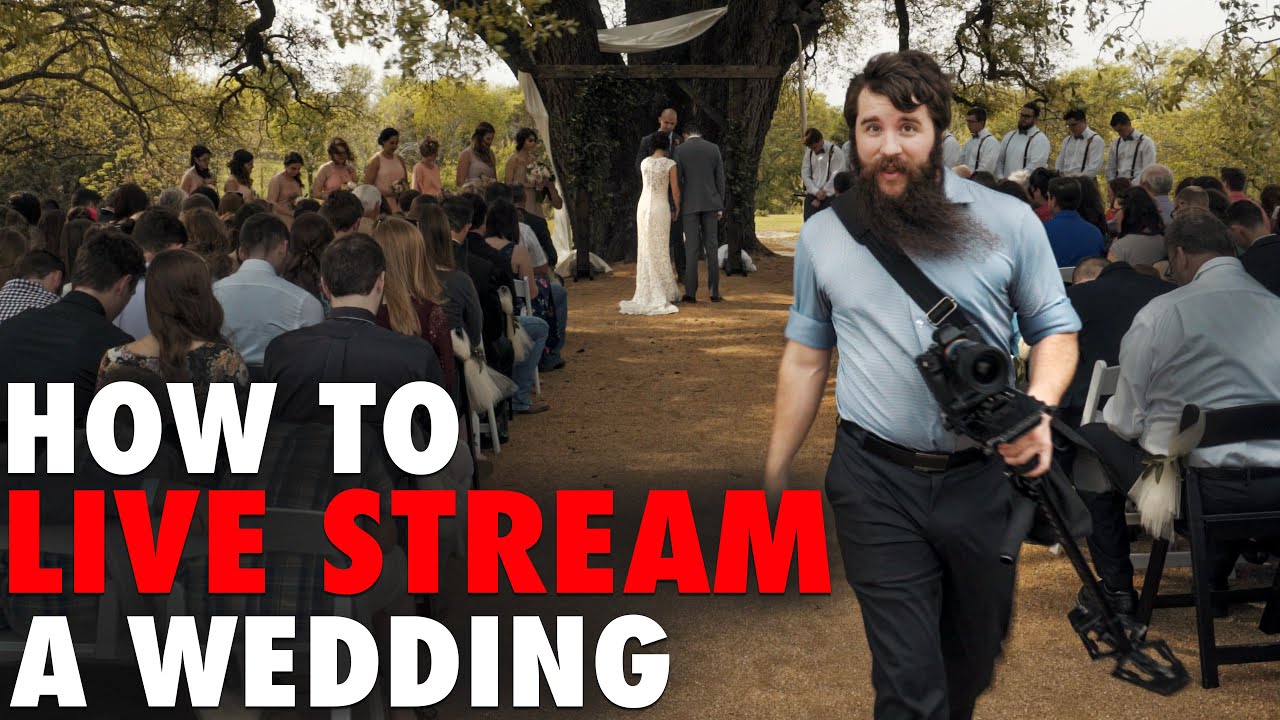
Live streaming wedding ceremonies has become an essential service for modern couples. Whether loved ones can't travel, health concerns limit attendance, or you simply want to share the moment with a wider audience, live streaming ensures nobody misses your special day.
Why Live Stream Your Wedding
The reasons for live streaming a wedding are as varied as the couples who choose to do it. For many, it's about including remote family and friends who genuinely cannot attend -- grandparents who can't travel, relatives overseas, friends stationed abroad in the military, or loved ones with health limitations that make travel difficult.
Destination weddings especially benefit from live streaming. When you've chosen a stunning venue in a remote location, not everyone on your guest list can make the trip. A live stream lets them experience the ceremony in real time, sharing in the emotion of the moment even from thousands of miles away.
There's also the simple reality that wedding guest lists have limits. Live streaming extends your celebration beyond the physical capacity of your venue, letting you share your ceremony with a wider community without the logistical and financial burden of a larger event.
Should You Still Hire a Videographer?
This is one of the most common questions we get, and the answer is absolutely yes. A live stream and a professionally produced wedding video serve completely different purposes.
A live stream captures a single, continuous angle in real time. It's a window into the ceremony as it happens -- valuable for remote guests who want to be part of the moment, but limited in what it captures. There's no editing, no multiple angles, no carefully composed shots, and no slow-motion moments.
Professional videography, on the other hand, captures the entire day from multiple angles with intentional composition, audio mixing, color grading, and narrative editing. The wedding film you receive is a crafted piece of storytelling -- something you'll watch and rewatch for decades. A live stream recording is a document of the ceremony; a wedding film is a work of art.
The two complement each other perfectly. The live stream lets your remote guests participate in real time. The wedding film preserves the day in its most beautiful, cinematic form.
Technical Setup
A reliable live stream requires thoughtful technical planning. The key components include:
- Camera placement:A dedicated streaming camera is ideal -- separate from the videographer's cameras. This allows the stream to maintain a stable, wide shot of the ceremony while the videographer moves freely to capture close-ups and creative angles.
- Audio: Good audio is critical for a watchable stream. A wireless microphone on the officiant captures the ceremony clearly, supplemented by an ambient microphone for music and audience reactions. Built-in camera microphones are rarely sufficient.
- Internet connection: The single biggest point of failure. A stable connection with at least 5-10 Mbps upload speed is essential. Always have a cellular hotspot as backup, and test the connection at the venue before the wedding day.
- Encoding quality: 1080p at 30fps is the sweet spot for most wedding streams -- high enough quality to look good on any screen, low enough to stream reliably over most connections.
Platform Selection
Choosing the right streaming platform depends on your priorities -- ease of sharing, viewer interaction, privacy, and reliability all factor in.
- YouTube Live: Easy to share via a simple link, unlimited viewers, good quality, and the recording is automatically saved. Can be set to unlisted for privacy. The most universally accessible option.
- Zoom: Interactive -- guests can react, send messages, and even speak. Good for couples who want remote guests to feel like active participants rather than passive viewers. Limited by plan capacity.
- Vimeo: Higher video quality than most platforms, with password protection for privacy. A more polished option, though less familiar to some viewers.
- Facebook Live: Extremely accessible, especially for older family members who already use Facebook daily. Easy to share within private groups. Quality is acceptable but not the highest.
- Dedicated wedding streaming services: Services built specifically for weddings often include custom landing pages, RSVP tracking, and enhanced privacy controls. More expensive, but a polished experience.
Professional vs. DIY
The quality gap between professional and DIY live streaming is significant, but both have their place depending on your budget and priorities.
Professional streaming delivers reliability, multi-camera options, properly mixed audio, and a managed stream with someone monitoring the feed throughout the ceremony. If something goes wrong technically, a professional can troubleshoot in real time without disrupting the ceremony.
DIY streamingis budget-friendly and can work well for couples who are comfortable with technology. However, the risks are real -- single-angle coverage, potential audio problems, and no one monitoring the stream if something fails. A phone propped up on a tripod can work, but it's a gamble.
Our recommendation: go professional for the ceremony, where reliability and audio quality matter most. DIY is perfectly fine for the reception, where the stakes are lower and a casual, phone-quality stream can actually feel more fun and authentic.
Legal and Privacy Considerations
Live streaming your wedding introduces some considerations that traditional videography doesn't:
- Inform your guests. Let attendees know the ceremony will be live streamed. A note in your program or a brief announcement before the ceremony begins is courteous and, in some jurisdictions, legally advisable.
- Venue restrictions: Some venues have policies about live streaming, particularly religious institutions. Confirm permissions in advance.
- Music licensing: If copyrighted music plays during your ceremony, the stream may be flagged or muted by the platform. This is more common with YouTube and Facebook. Discuss music choices with your officiant and musicians.
- Privacy controls: Consider using an unlisted or password-protected stream rather than a public one. Share the link only with intended viewers.
Interactive Features
One of the best parts of live streaming is the ability to make remote guests feel included, not just watching. Consider these interactive elements:
- Virtual guest book: Set up an online guest book where remote viewers can leave messages, well-wishes, and memories during or after the stream.
- Live chat during the reception: Enable a chat feed during the reception so remote guests can comment, react, and celebrate in real time.
- Remote toasts via video call: Invite key remote guests to give a toast via video call during the reception. This is a meaningful way to bridge the distance.
- Song request polling: Let remote viewers vote on song requests for the DJ or band -- a fun way to keep them engaged during the party.
Making It Special for Remote Viewers
The difference between a good live stream experience and a great one is in the details. Small touches can make remote viewers feel like honored guests rather than spectators:
- Send a watch party kit: Mail a small package to key remote guests with a printed program, a mini bottle of champagne or sparkling cider, and instructions for joining the stream. It transforms watching alone into a celebration.
- Welcome message for online viewers:Have the officiant or a member of the wedding party acknowledge the online audience during the ceremony. A simple "We want to welcome those joining us from home" goes a long way.
- Assign a chat monitor: Designate someone at the wedding to monitor the live stream chat and relay messages or reactions to the couple. This creates a two-way connection.
Technical Challenges
Even the best-planned live streams can encounter technical issues. Being prepared for common challenges makes all the difference:
- Internet reliability:Always have a backup connection. If the venue has WiFi, bring a cellular hotspot as backup. If you're relying on cellular, bring two hotspots on different carriers.
- Battery management: A streaming camera and encoder can drain batteries fast. Use AC power whenever possible, and have fully charged backup batteries ready.
- Overheating: Cameras streaming continuously can overheat, especially outdoors in summer. Shade the camera and encoder, and test for heat issues during your pre-wedding venue visit.
- Audio sync: Audio and video can drift out of sync over long streams. A professional encoder with hardware sync prevents this. If using software, restart the stream during a natural break if sync issues appear.
- Platform outages:Rare, but they happen. Having a backup platform ready -- even if it's just a Zoom call -- provides peace of mind.
Post-Wedding Preservation
After the wedding, the live stream recording becomes a valuable piece of your wedding memories:
- Save the recording immediately. Most platforms keep stream recordings for a limited time. Download the full recording as soon as possible after the wedding.
- Edit into a shareable format. The raw stream recording will include pre-ceremony dead time and post-ceremony wind-down. Trim it to the ceremony itself for a clean, shareable version.
- Combine with professional footage. Your videographer can incorporate stream recording angles into the final wedding film for additional coverage, creating the most complete record of your ceremony possible.
Ready to Include Everyone in Your Wedding Day?
Whether you need professional live streaming, wedding videography, or both, we're here to help. Visit our Seattle wedding videography page for more details, or get in touch to discuss the perfect setup for your celebration.